
Media Design
Welcome to your digital art hub! Here is where you will find what you need to help you succeed in Media Design.
December / January
-
DEC MUST DO:
-
have 2 Level 3's completed by Dec. 19
-
Chit-Chat with Ms. U (Dec. 15-19)
-
-
JAN MUST DO:
-
complete the 3rd Level 3 by January 9th
-
make a Final Limited Palette
-
Use the Photoshop or Illustrator Template
-
Choose ONE of the provided palettes (you can use the exact colours provided, or a different tint (lighter), tone (less saturated), or shade (darker) of the same Hue.
-
-
If you do not have a passing mark by Dec. 19th, you will be given an SOS Booklet that you MUST DO in January.
If you ARE passing, you can use time in January for a self-directed project.

Level 0

All four (4) tasks MUST be completed by the end of Week 1.
Level 1
You must complete all 4 Level 0 tasks to unlock Level 1.
Choose 2 Level 1 assignments.
Everyone must complete a Limited Palette
(see "The Great Pixel Mosaic" below for more details)
Assignments follow 3 different learning pathways:
Drawing & Painting,
Animation,
and Photomanipulation.
Any Level 1 task will unlock the Level 2's of the same type

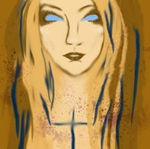




The Great Pixel Mosaic
This project was inspired by the Canada Connects project.
(You can see Ms. U's contribution-- #235, in the upper right)
The current mosaic has 196 pixels.
The following palettes give you the pure hues.
-
you may use any change the saturation/value of your given hues, but you may not move to a different hue.
-
Each palette has a dominant colour and a complementary colour.
-
The dominant colour should be about 80% of your picture.
How to Participate:
-
Choose your palette.
-
Tell Ms. U.
-
Make a new file that is 400 x 400 pixels, with Resolution = 200.
-
Get your palette by using Windows+Shift+S and then pasting it onto your file.
-
Make your painting (it can be simple, it will be small).
The Palettes:
Examples:
-
These are just lil paintings --- so tiny details may not be visible.
-
Check out the pictures in the class Mona Lisa, or the Canada Connects mosaic, for ideas.
-
Here are 4 examples, showing use of the palettes:

84 78 needed
24 19 needed
34 26 needed
50 44 needed (this one must be greyscale, mostly light)


Should have more pink, less green.
Level 2
You must complete your Level 1 assignments to unlock Level 2.
Choose 3 Level 2 assignments.
Completing any Level 2 will unlock the Level 3's of the same type.
HOWEVER, some Level 3's REQUIRE you to have completed a specific Level 2 first.
For ex, figure drawing must be completed before character design unlocks.
TIP: choose your Level 3’s first, then do the required Level 2 (if there is one).




Level 3
Note: some Level 3 projects require a specific Level 2 to be done first.
Choose 3 Level 3 assignments.

Atmospheric

Character Design
Book Cover / Movie Poster


Fantasy Portrait


Imaginary Interior
Low Poly Art


Map: Creative

Map: Isometric

Travel Poster

"Action Figure" Self Portrait
Requests So Ms. U doesn't forget:
- fashion lookbook
- world building
-recreate a children's book
- tattoo
- bg painting
- comic design
- forest illustrat.
- patterns


Final
In the first 2 weeks of June you will be working on your final "Purposeful Play" project. Make sure you use P.R.E.P.A.R.E.!
In the final week, you should also finish putting together a portfolio of your work. You will put together a small zine (the " Learning Passport") with all of your work from this semester.
TBA
MEDIEVAL MARKET Poster Contest
Participating will count as a Level 3!
-
It may be done regardless of your learning path.
-
You can do it before finishing your level 2s.
-
You could win $100 Medieval Bucks ($$ to spend at the market)
-
Submissions are due by October 20, 2025, at 3:30pm
Required Info for the 2025 Poster:
-
DIMENSIONS MUST BE:
-
Resolution = 300 ppi
-
Ledger Sized (17" x 11" or 3300 x 5100 pixels)
-
PORTRAIT orientation
-
-
Medieval Market title should be BIG and EYE CATCHING
-
Dates
-
November 15 (9-4)
-
November 16 (9-3)
-
-
Prices
-
$5 Weekend,
-
$3 Sunday Only
-
12 & under free
-
-
Other Required Info:
-
Hearty Concession
-
Door Prizes
-
Quality Handmade Wares
-
Live Music on 2 Stages
-
-
If it fits
-
The Location (640 Carson Dr Williams Lake)
-
"All proceeds got to SD27 Students and Programs"
-
Tips for a Successful Poster
-
COLOURS and STYLE
-
Use jewel tones or "old looking": vellum, burgundy, rich blues, deep greens, gold, that sort of thing.
-
The style should fit the Medieval theme:
-
Avoid cartoony, modern styles, such as anime.
-
-
Imagery: Think castles, knights, maidens, or medieval era lettering)
-
-
Regarding Using References and AI
-
This is a representation of a hand-crafted market, treat it as such.
-
Digital art is fine, just make it yourself.
-
Absolutely NO AI.
-
Existing elements may be used if collaged in well (see 2024 poster below)
-
When using references, do not copy from one source
-
You may Steal Like an Artist (<that's the TED Talk, you can also get the book here)
-
The 2021 poster got a lot of flack from the Public. While it was all hand-painted in Photoshop, the castle was too close to the original source material.
-
-


